Turn Dot on for your channels
Dot is your AI agent. It answers customers from what you’ve approved, on the channels you choose, and hands over to your team when it can’t help. You decide how much it does on each channel.
Off, Suggest or Auto
Off: Dot stays quiet. Your team can still press Suggest a reply in any conversation.
Suggest: Dot drafts a reply to each new message. A teammate checks it and sends it.
Auto: Dot replies on its own, and hands over to your team when it can’t help.
Set it up
Open Dot in the sidebar. You start on the Set up tab.
Under Where Dot works, pick Off, Suggest or Auto for each channel: website chat, email, Instagram, your Facebook Page and WhatsApp. A channel you haven’t connected yet has a link to Channels.
If you’ve connected Facebook or Instagram, choose what Dot does with Comments on posts and ads too.
Under How it answers, give Dot a name, a picture and any instructions.
Press Save changes.
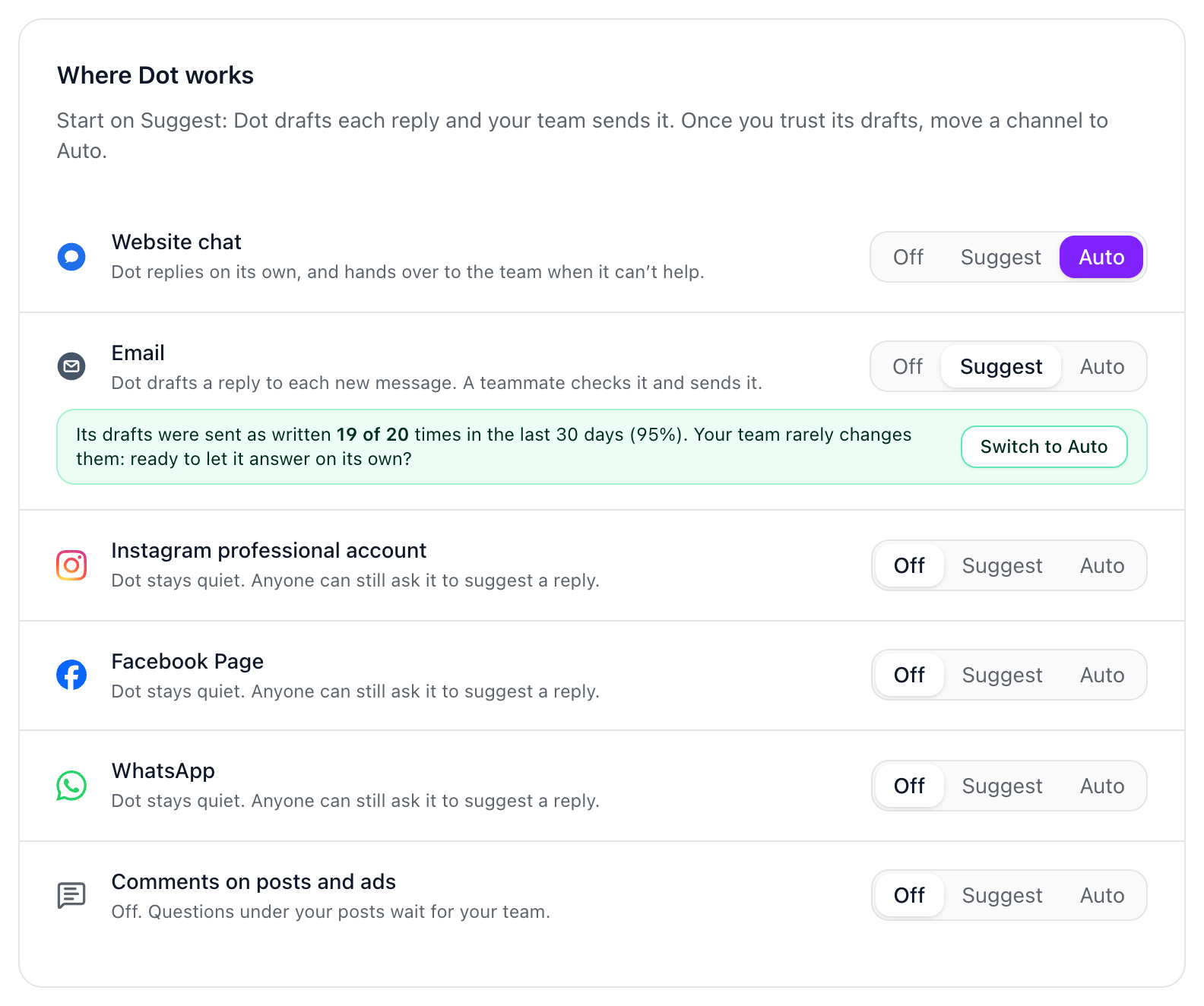
Start on Suggest
Suggest is the safest way to begin, because your team sees every draft before it goes out. Dot counts how often its drafts on each channel were sent as written in the last 30 days. Once there are at least ten and nine in ten went out unchanged, Switch to Auto appears beside that channel.
Name, picture and instructions
Name: what customers and your team see it called, up to 40 characters.
Picture: shown beside its answers in your website chat. It’s saved as soon as you choose it.
Instructions: plain English, one per line, like “Always use the customer’s first name.” They add to your brand voice, but can’t make Dot state anything your approved answers don’t say.
Only a workspace owner can change what Dot does; everyone else can see how it’s set up. Each answer or draft Dot writes uses one of your plan’s AI replies for the month: 20 on Free, 500 on Pro, 3,000 on Growth and 10,000 on Scale.
Did this answer your question?