When Dot hands over to your team
Dot hands a conversation to your team whenever a person should take it. The customer is told, and the conversation waits for you, marked unread, with a note saying why and what Dot already did.
Always
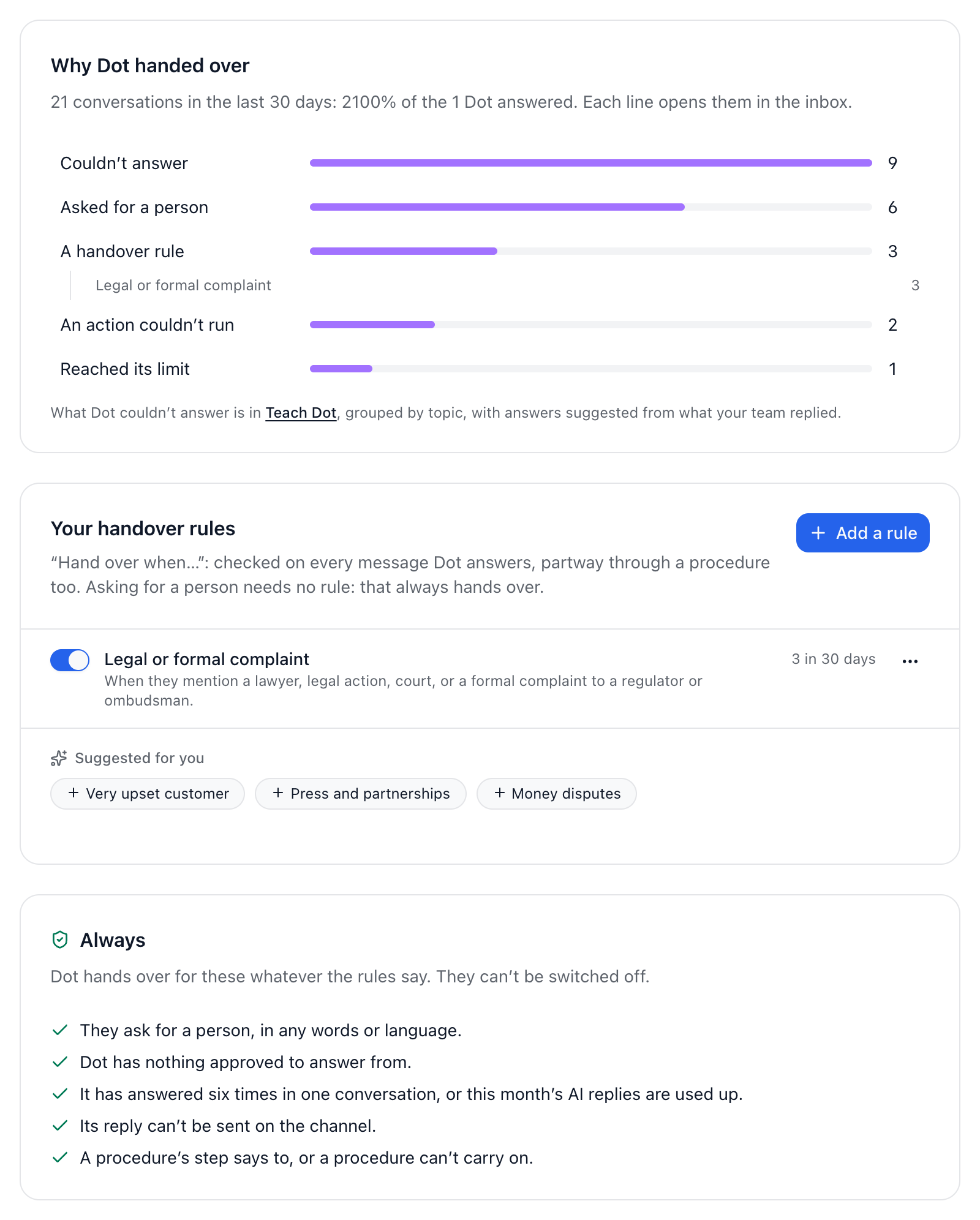
Dot always hands over in these cases, and they can’t be switched off:
The customer asks for a person, in any words or language.
Dot has nothing approved to answer from.
It has answered six times in one conversation, or this month’s AI replies are used up.
Its reply can’t be sent on the channel.
A procedure’s step says to, or a procedure can’t carry on.
Add your own rules
Open Dot and go to the Handover tab.
Under Your handover rules, press Add a rule, or start from one under Suggested for you.
Give it a name, and in Hand over when, describe what a person should deal with, like “They mention a lawyer, legal action or a formal complaint.” Dot reads each message for its meaning, in any language.
Under Try it, type a message as a customer would and press Check to see what Dot would do.
If you need them, add conditions under Only if, such as a channel, a customer’s field, a tag or the time. Then press Add rule.
What happens next
Under After Dot hands over, you choose:
What the customer is told. Leave it empty and Dot uses its own words for each reason.
Say it in the customer’s language.
Summarise the conversation in the team’s note: two lines on what the customer wants and where things stand.
Open a ticket when there’s something to follow through, like a refund to approve or a fault to look into. It’s on by default, and the ticket goes to whoever gets the conversation.
Then any workflows that start when Dot hands over run, and your usual assignment picks someone. Why Dot handed over, at the top of the tab, shows the reasons for the last 30 days.
Did this answer your question?