Notes, mentions, following and the bell
Notes are messages for your team that customers never see. Mention a teammate in one and they hear about it under the bell, in the top bar.
Leave a note
Open a conversation and choose the Note tab above the reply box, or press Cmd+Shift+N (Ctrl+Shift+N on Windows).
Type @ and pick a teammate to bring them in. Teammates who are online are listed first.
Send it. The note shows in the conversation in amber, for your team only.
The bell
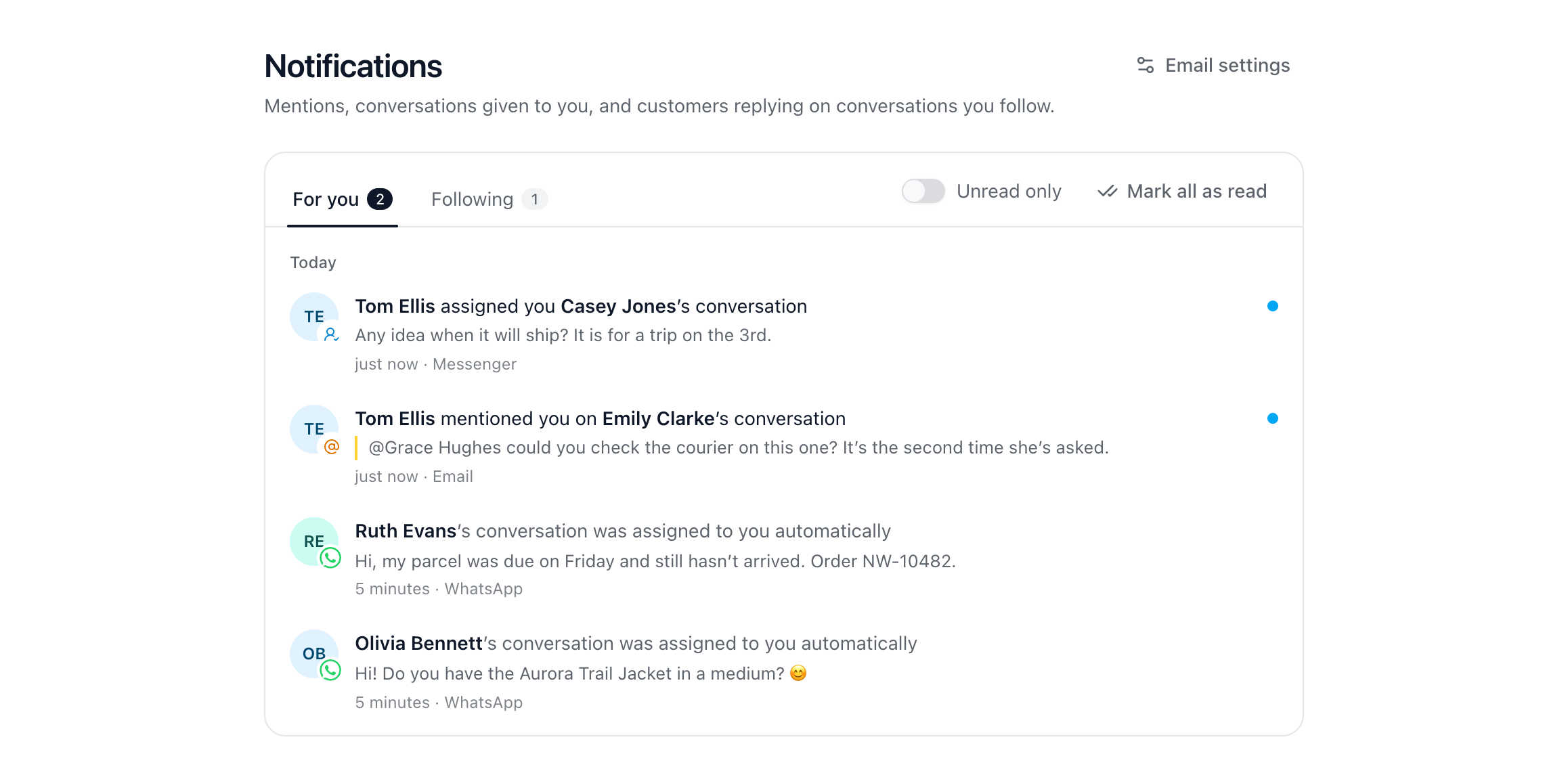
The bell has two tabs:
For you: someone mentioning you, a conversation given to you, and help articles Dot suggests.
Following: a customer writing on a conversation you follow.
Tickets that need you show under the bell too. Repeats are grouped into one line, like Tom Ellis sent 3 new messages, and Mark all as read clears a tab. Opening the conversation any other way marks it read as well.
Follow a conversation
You follow a conversation by yourself when it’s given to you, when you’re mentioned in it, and when you write a note or reply. To follow any other, choose Follow in its header; choose it again to stop. Once you stop, doing more in that conversation later doesn’t sign you back up. The Following filter in the inbox lists them all.
Get emails when you’re away
In Settings → Notifications, under Mentions and conversations, choose what’s also emailed: Someone mentions you (on to start with), A conversation is given to you, and A customer replies on a conversation you follow. An email only goes if you haven’t seen it in ChannelDesk within 10 minutes. These choices are yours alone and don’t change anyone else’s.
Did this answer your question?