Assign conversations automatically
Automatic assignment gives every new conversation to someone on your team, so nothing sits in Unassigned waiting to be noticed. It’s on every plan.
Set it up
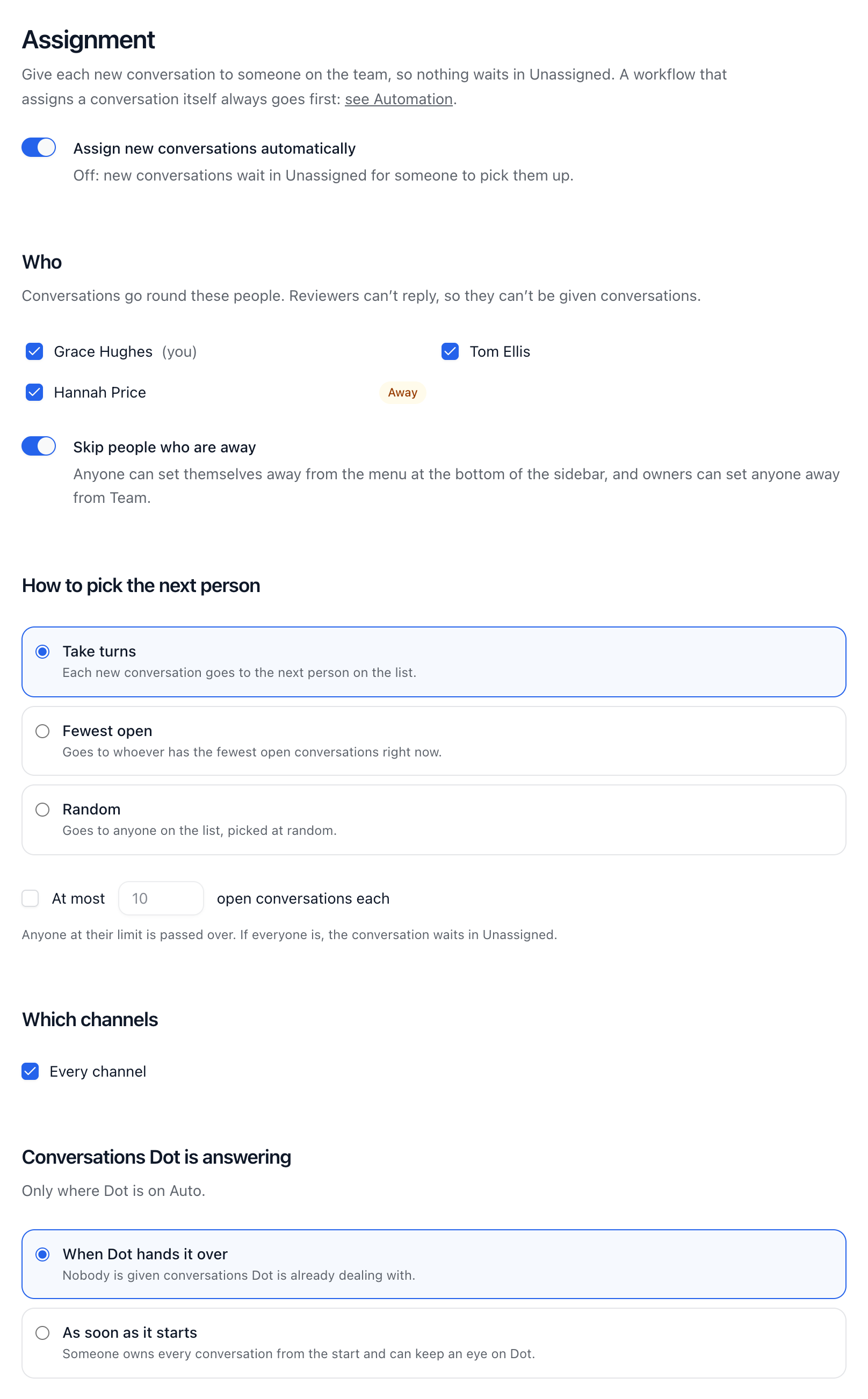
Go to Settings → Assignment, and switch on Assign new conversations automatically.
Under Who, tick the teammates who should get conversations. Reviewers can’t reply, so they can’t be picked.
Under How to pick the next person, choose Take turns, Fewest open or Random.
Under Which channels, keep Every channel or choose some.
Under Conversations Dot is answering, choose When Dot hands it over or As soon as it starts. This only matters where Dot answers by itself.
Choose Save changes.
Away
Set yourself away from the menu at the bottom of the sidebar by ticking Away, and untick it when you’re back. Owners can set anyone away from Settings → Team. While Skip people who are away is on, which it is to start with, nobody who is away is given new conversations.
A limit for each person (Pro)
On Pro and up, set At most a number of open conversations each. Anyone at their limit is skipped, and if everyone is, the conversation waits in Unassigned.
Good to know
Workflows go first. If one assigns the conversation, automatic assignment leaves it alone.
With When Dot hands it over, nobody is given a conversation Dot is still dealing with.
The workflow step Assign to one of uses the same ways of picking, and always skips people who are away.
Each automatic assignment shows in the conversation’s history as Assigned the conversation automatically.
Whoever gets a conversation hears under the bell, and by email if they’ve chosen that in Settings → Notifications.
Did this answer your question?