Keep using the WhatsApp Business app
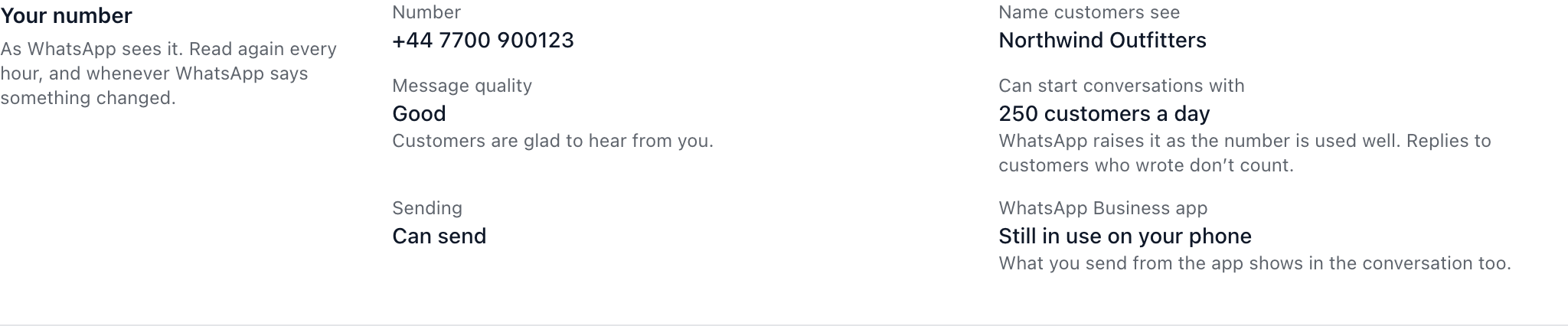
You don’t have to give up the WhatsApp Business app to use ChannelDesk. Connect the same number, and your team answers from the inbox while you can still reply from your phone. What you send from the app shows in the conversation in ChannelDesk too.
Before you start
Update the WhatsApp Business app on your phone.
You need to have used the number in the app for at least 3 months.
Connect it
Go to Channels and select Connect WhatsApp.
Choose Yes, and I’ll keep using the app, then select Continue with Facebook.
Follow Meta’s steps to confirm your business and your number.
When you see WhatsApp is ready, send yourself a test message to check it arrives.
What to expect
New messages show in both places: the app on your phone and your ChannelDesk inbox.
Replies you send from the app appear in the conversation, so your team knows you’ve answered.
Replies sent from WhatsApp on your phone are free. Replies sent from ChannelDesk use the number’s 1,000 free replies a month first.
Chats from before you connected stay in the app. They aren’t copied into ChannelDesk.
Did this answer your question?