Workflows: automate the routine
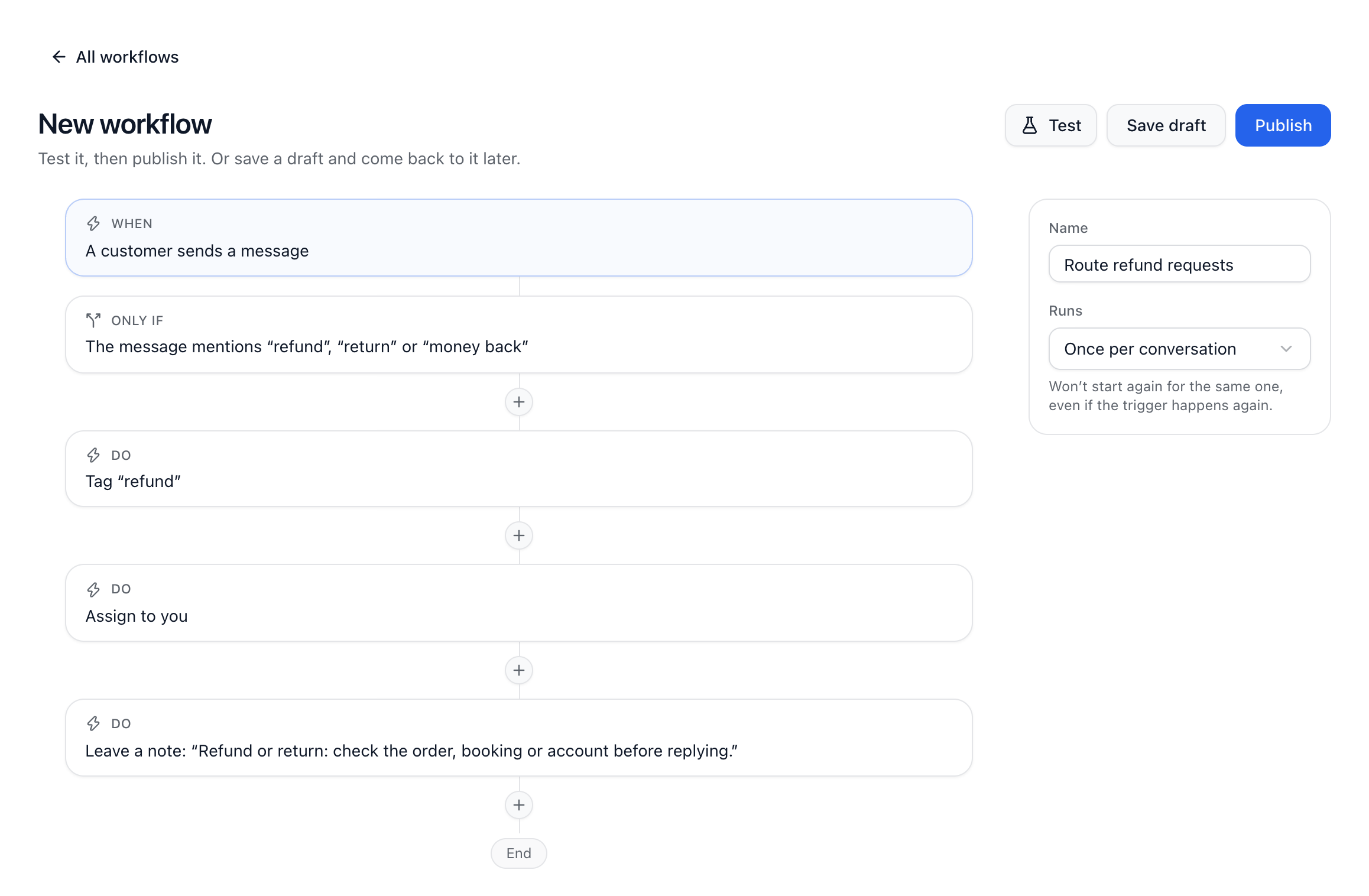
A workflow does something for your team the moment something happens. It has a trigger (When), conditions if you need them (Only if), and steps. Find workflows in Automation, on the Workflows tab.
Build one
Go to Automation and choose New workflow. Start from a template, like Out-of-hours reply or When a customer is unhappy, tell a manager, or from scratch.
Click When and choose what starts it.
Click Only if to add conditions, like the channel, words in the message, tags, a customer field or the time of day.
Use the + between the cards to add steps.
Choose Test to try it on a real conversation or person. Nothing is changed.
Choose Publish, then Publish workflow, when it’s ready.
What can start a workflow
A conversation starts, is closed, reopened or assigned, or a customer sends a message.
A customer rates a conversation.
A ticket is opened, or moves.
Dot hands a conversation to the team, or runs the workflow from a procedure.
A person is added, their details change, or an event is recorded on them.
What a step can do
Assign (to someone, or in turn to one of several), tag, snooze, close or reopen, leave a note, email teammates, set a customer field, prepare a suggested reply, send a saved reply or a WhatsApp template, post to Slack, use an app’s action, or open, move and give a ticket. A step can also wait (for a time, or until the customer or your team replies), or split into up to five paths: the first that matches is taken, and Otherwise catches the rest.
Workflows never write to customers in their own words. They send your saved replies and approved templates only.
Drafts, versions and runs
Changes are saved as a draft and only go live when you publish. Versions shows each published version, and can restore an older one into a new draft. The Runs tab shows every run step by step.
Plans
Free: 2 live workflows and 200 runs a month, with inbox steps.
Pro and up: as many live workflows as you like, plus waits, paths, sending saved replies and WhatsApp templates, posting to Slack and apps’ actions.
Runs a month: 5,000 on Pro, 25,000 on Growth and 100,000 on Scale.
Did this answer your question?