Tickets: opening them, the board and due dates
A ticket is for anything your team has to follow through that takes more than one reply: a refund to approve, a fault to look into, a change to make. It stays linked to the conversations it came from, and is numbered from #1001.
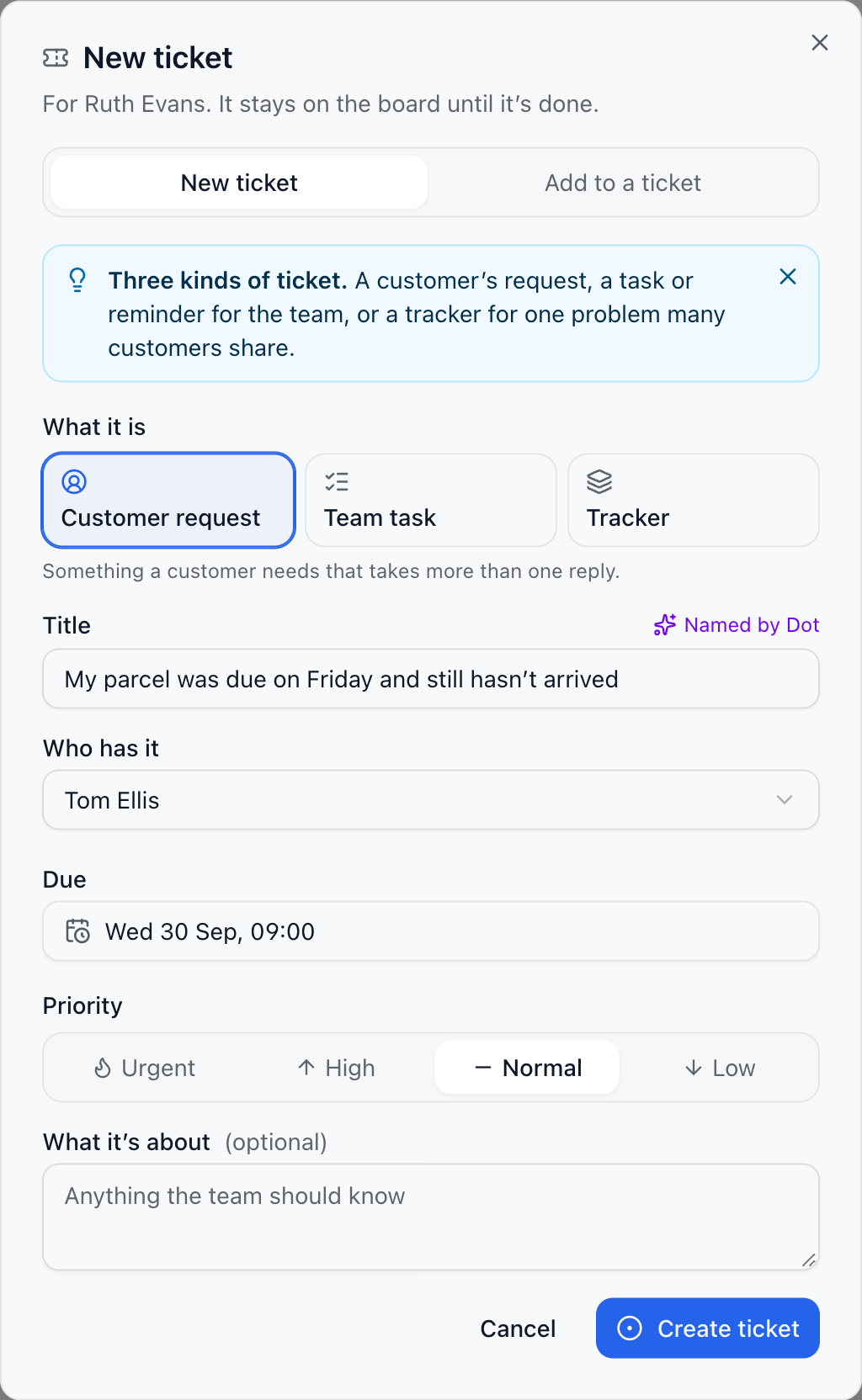
Three kinds
Customer request: something a customer needs, from their conversation.
Team task: a task or a reminder for your team. Customers never see it.
Tracker: one problem many customers share, like an outage. Each customer’s conversation joins it.
Open a ticket
In a conversation, choose Ticket in the header, or press t. To make a ticket from one message, choose Split into ticket on it.
Dot suggests a title, a type and a priority from the conversation. Change anything you like.
Choose who has it and when it’s due, then choose Create ticket.
Already open? Choose Add to a ticket in the same window and pick it; trackers are listed first. You can also start one on the Tickets page with New ticket, or press c.
The board
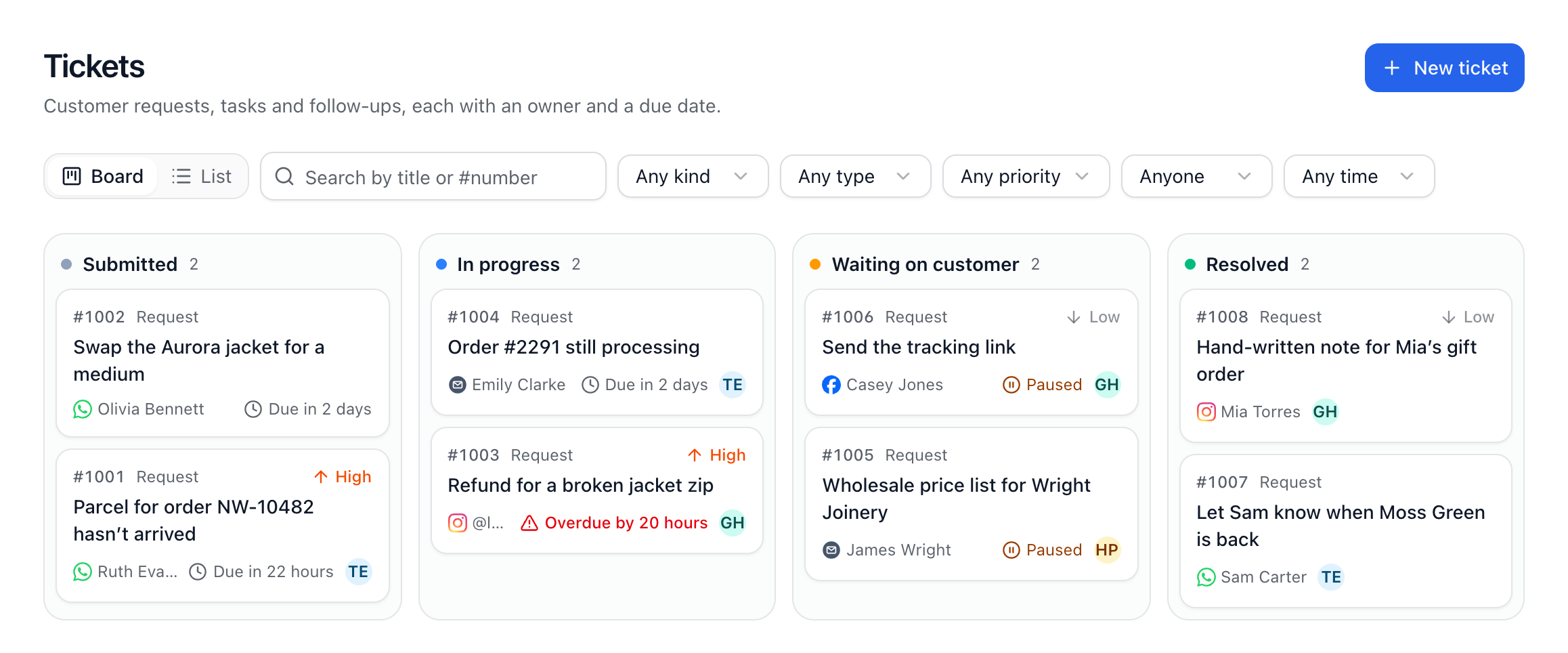
Tickets shows four columns: Submitted, In progress, Waiting on customer and Resolved. Drag a ticket to move it, or use the keyboard: Space picks it up, the arrow keys move it a column at a time, and Space again puts it down. List shows the same as a table. Filter by kind, type, priority, who has it and when it’s due; the filters stay in the page address, so you can share a view.
Due dates and the clock
Set a due date with a quick choice (In an hour, End of today, Tomorrow morning, Next week) or any time. A team task can have a reminder instead. While a ticket is Waiting on customer the clock stops, and when the customer writes it goes back to In progress by itself.
Whoever has a ticket hears under the bell when it’s given to them, when it’s due within the hour, when a reminder is due, and when the customer answers. If nobody has it, the owners hear.
When Dot hands a conversation over with something left to do, it opens a ticket saying what. To stop that, go to Dot’s Handover tab and switch off Open a ticket when there’s something to follow through.
Did this answer your question?