Customer ratings
Once a conversation is closed, ChannelDesk can ask the customer to rate it, from 😞 to 😄, where they wrote and in their language. You choose which channels ask, when, and how often.
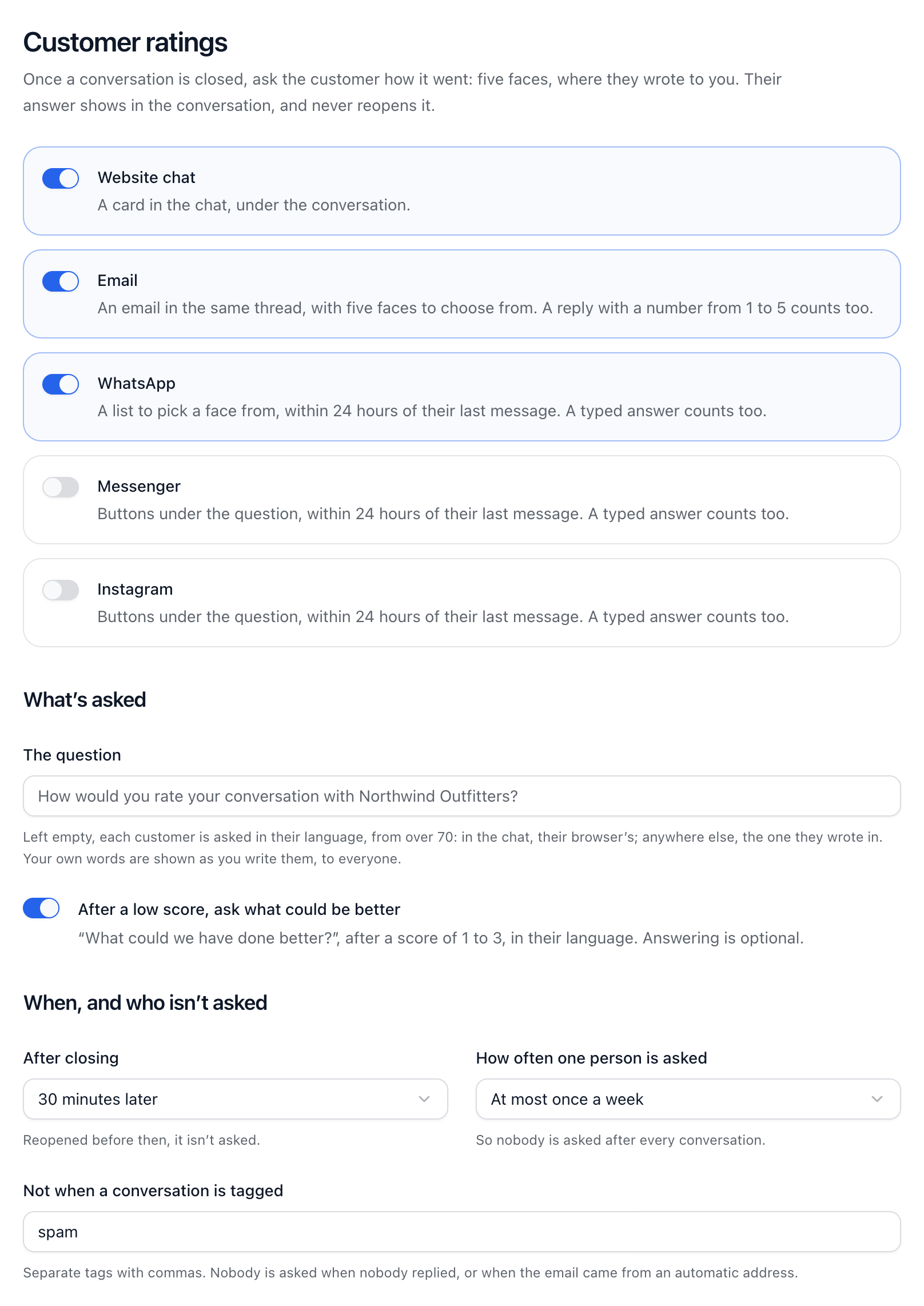
Switch ratings on
Go to Settings → Customer ratings.
Switch on each channel that should ask: Website chat, Email, WhatsApp, Messenger or Instagram.
Under What’s asked, leave the question empty to ask each customer in their own language, or write your own.
Under When, and who isn’t asked, choose After closing (Straight away, 5 minutes later, 30 minutes later, An hour later or The next day) and How often one person is asked.
Add any tags that mean nobody should be asked, like spam.
What customers see
Website chat: a card in the chat.
Email: five faces to click, then a page to add a comment.
WhatsApp: a list of the five faces.
Messenger and Instagram: buttons under the question.
On WhatsApp, Messenger and Instagram the question only goes within 24 hours of the customer’s last message. After a score of 1 to 3 they’re asked what could have been better, unless you switch that off. Nobody is asked when nobody replied to them, and answering never reopens the conversation.
Bad ratings (Pro)
On Pro and up, a 😞 or 🙁 goes to whoever handled the conversation, under the bell. If Dot handled it alone, the owners hear. In Settings → Notifications, under Bad ratings, choose Email me too, or Every bad rating in the workspace to hear about all of them.
A rating shows on its conversation in the inbox list for a week, and in the customer’s details. To act on bad ratings by themselves, start a workflow from the template When a customer is unhappy, tell a manager.
Did this answer your question?