Reply to a comment in a DM
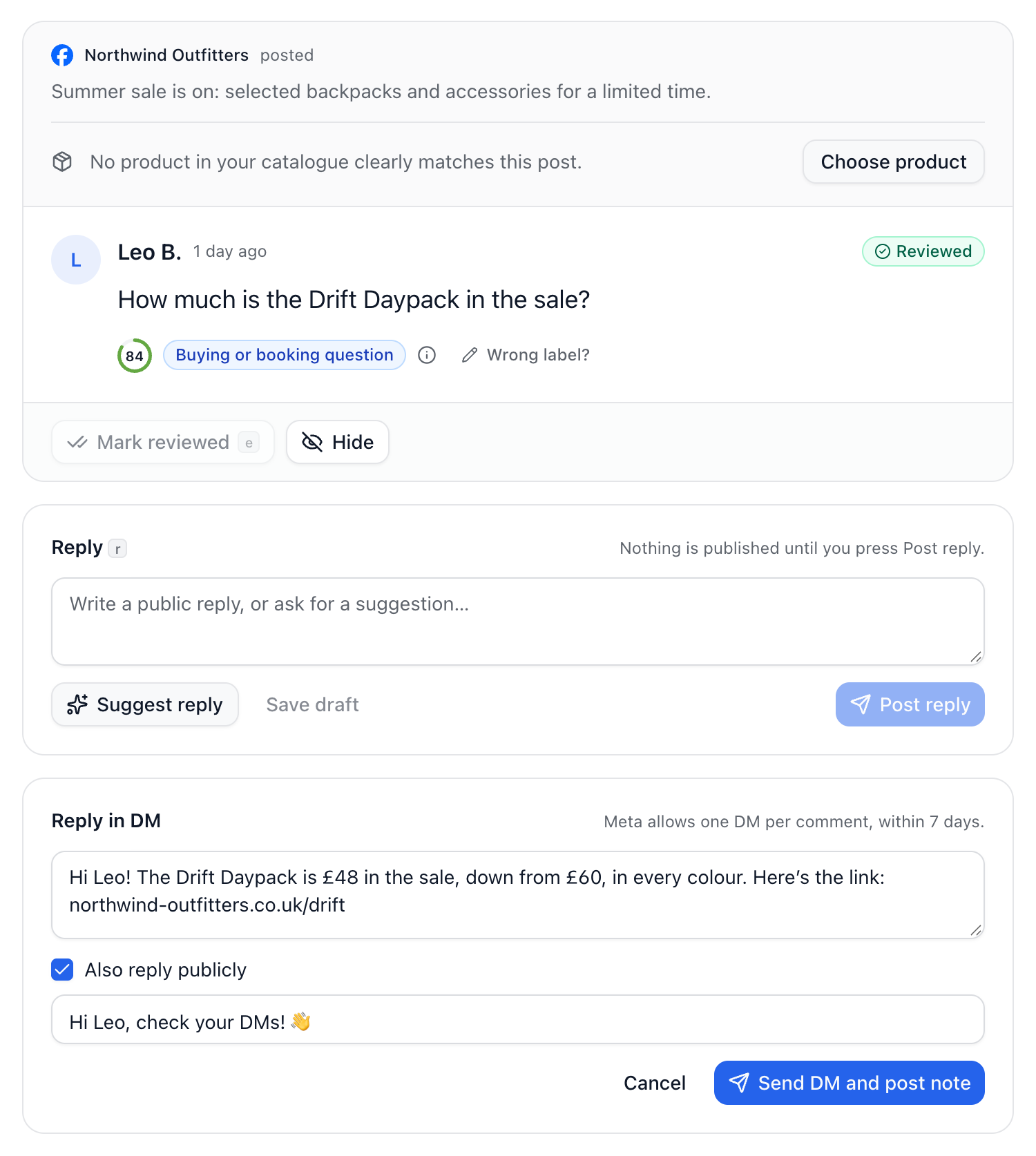
Some questions are better answered privately, such as an order or a quote for one customer. From a comment, you can send the commenter a DM. Their answer arrives in your inbox, with the comment attached.
Open the comment from Comments.
Select Reply in DM and write your message.
To show everyone reading the post that it was answered, tick Also reply publicly and check the note.
Select Send DM, or Send DM and post note.
Meta’s limits
One DM per comment, within 7 days of the comment.
Messages must be on for the Page or account in Channels, since the answer comes back as a message.
You can’t DM your own Page’s comments.
If it asks you to reconnect, select Reconnect on the channel’s card in Channels.
The public note
Set it up in Settings → Brand voice, under Answering comments in a DM. With Offer a public note on, a note is filled in each time, and you can change or skip it before sending. Add up to 10 wordings, one per line: one is picked at random each time, because the same comment everywhere looks automated. {first_name} becomes the commenter’s first name.
Did this answer your question?