How comments are sorted
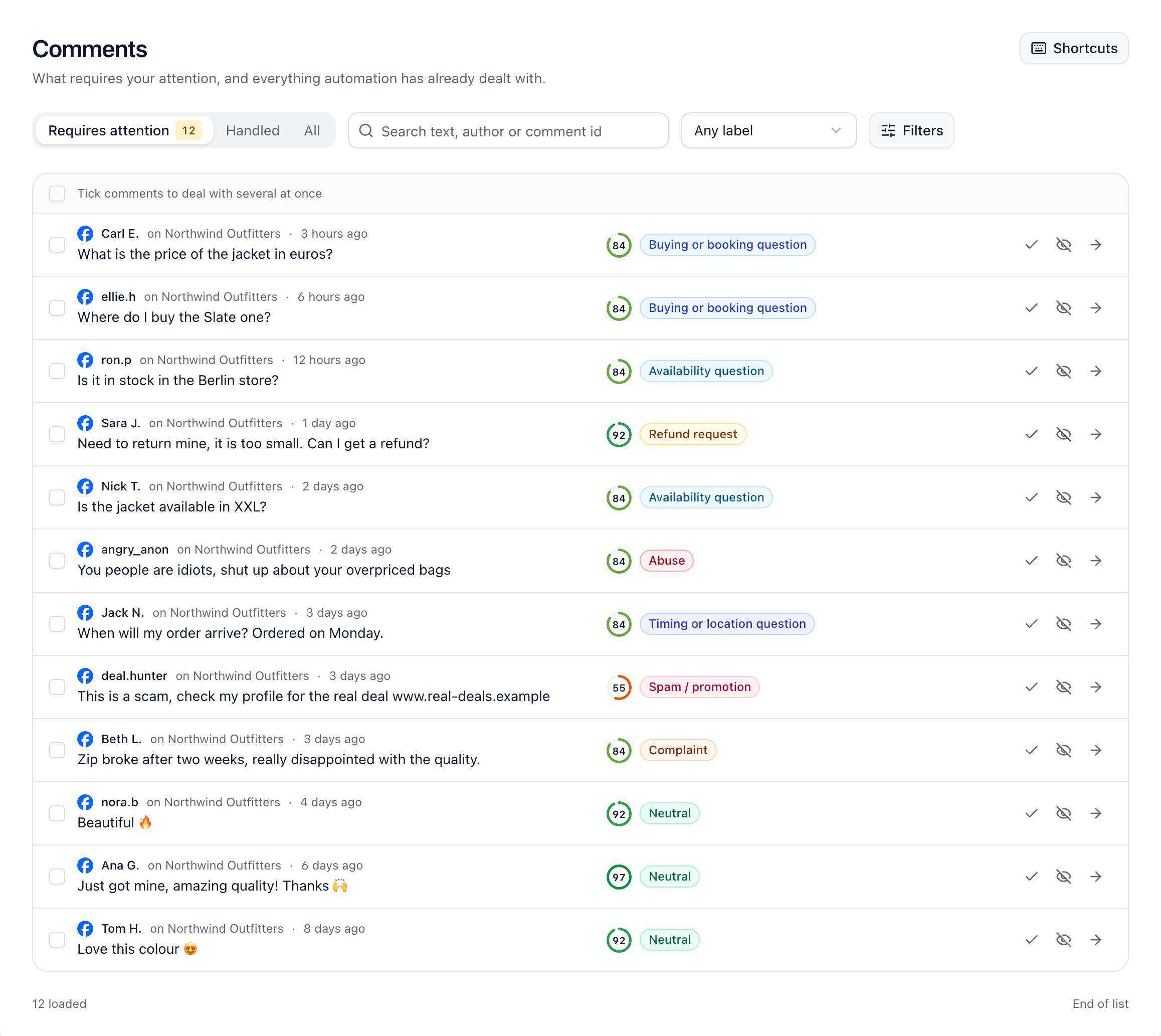
When someone comments on your Facebook or Instagram posts or ads, ChannelDesk labels the comment and runs your comment rules on it. Anything that needs a person waits in Comments, under Requires attention. Everything else is under Handled.
The labels
Customer questions: Buying or booking question, Availability question, and Timing or location question.
Problems: Complaint and Refund request.
Unwanted: Spam / promotion and Abuse.
Everything else: Neutral and Other.
When we’re not sure of a label, the comment says We weren’t sure about this one, and a rule that goes by the label leaves it for a person instead of acting on it. You choose how sure we must be in Settings → Automation safety.
Working through Comments
Filter by label, channel, queue status, visibility or dates, or search the text and authors.
Mark as reviewed, hide or unhide straight from the list, or tick several comments and act on them together.
Open a comment to reply, and to see why it’s there: its label, which rules matched, and what’s happened to it.
Select Shortcuts to work from the keyboard: j and k to move, e to mark as reviewed, h to hide.
Which comments get a label
Comments are labelled for the people who count as your active contacts that month, up to 100 comments per person. Spam and abuse don’t count as active contacts. On Free, once your 50 active contacts are used, new people’s comments arrive without a label, and rules that look for a phrase still run.
Did this answer your question?