More contacts: packs and top-up
On Pro, Growth and Scale you can go past your plan’s active contacts. Add 500 more at a time, for the month you buy them in, at $10 / £8 / €9 a pack (CA$14, A$15). Only owners can add them.
Add 500 by hand
Go to Settings → Plan and usage.
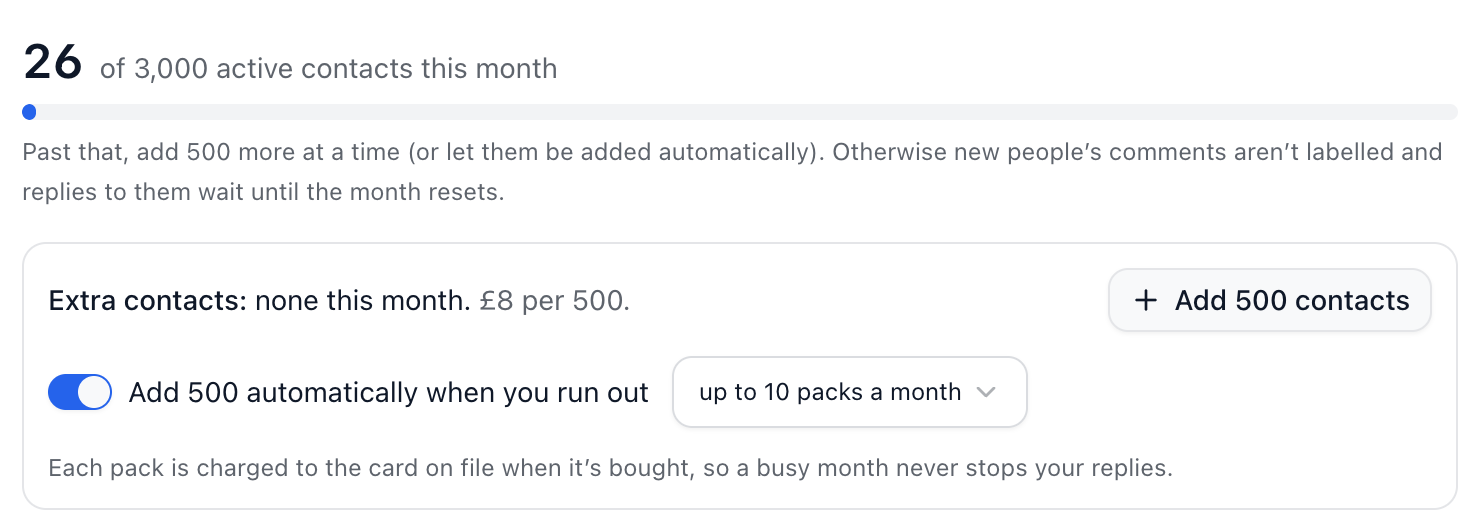
Under Extra contacts, choose Add 500 contacts.
Pay on Stripe’s page. The 500 are added as soon as the payment goes through.
Top-up
Add 500 automatically when you run out is on to start with. When you pass your allowance, ChannelDesk buys a pack straight away and charges it to the card on file, so replies to new people never wait. Beside the switch, choose the most packs a month, from 1 to 50.
With top-up off, or once it reaches your limit, replies to new people wait until you add more or the month resets. Their messages and comments still arrive in the meantime.
If a charge fails
Nothing is added and nothing is owed. The owners are emailed straight away, and top-up waits until you add 500 yourself or the month resets.
Did this answer your question?